
Screen Studio for Windows
Screen Studio does not run on Windows. This does.
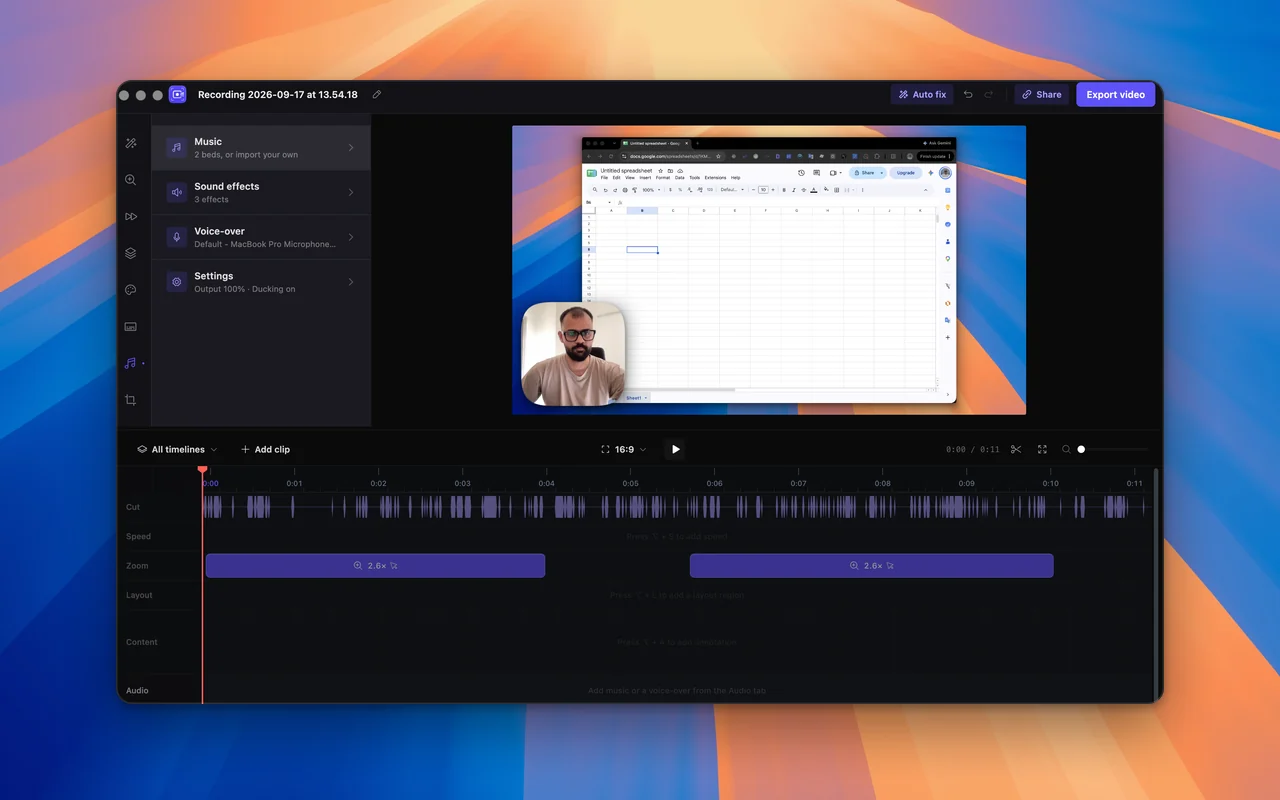
Screen Studio is a Mac app, and its own FAQ says there are no near-future plans to add Windows support. If you are on Windows and want the same result, automatic zooms and a smooth cursor, SmoothCut does it on Windows 10 and 11, and on a Mac too.
How to
Get the Screen Studio result on Windows
- 01
Install SmoothCut
Run the installer on Windows 10 or later. It is free to use with no account, so you can judge the result before paying.
- 02
Record normally
Press Record, pick a window or the whole screen, and do the demo. Zooms follow your clicks and the cursor is recorded as data.
- 03
Export
The editor opens already zoomed and smoothed. Adjust anything, then export MP4 or GIF. A free export is 720p with a small mark; a licence removes the mark and opens 4K.
Is there a Windows version of Screen Studio?
No. As of October 2026 Screen Studio is macOS only, and its FAQ says there are no near-future plans for Windows. It also sells by subscription: every feature is in each plan, at $9 a month billed yearly or $29 a month, and it no longer sells new one-time licences.
What works on Windows instead
SmoothCut is the same kind of tool: automatic zooms that follow your cursor, a cursor you can smooth and restyle afterwards, camera layouts, captions and noise removal on your own computer. It runs on Windows and macOS, and it is a one-time purchase, $79 for one computer or $169 for five.
It is not the only option. FocuSee and Cursorful also have Windows apps with automatic zoom, and Cap, which is open source, has a Windows version. The best Screen Studio alternatives page compares them with prices and who each suits.
Where Screen Studio is still the better pick
If you only use a Mac, Screen Studio's polish and its iPhone and iPad recording are real strengths. SmoothCut records your computer's screen. If recording a connected iPhone or iPad matters to you and you have a Mac, Screen Studio is the right tool.
The features that matter here
What does the work
- Automatic zoom Screen recorder with auto zoom: SmoothCut watches where you click and zooms there for you, with depth, timing and easing set. Adjust any zoom on the timeline.
- Cursor smoothing Smooth cursor for screen recordings: SmoothCut records your cursor as data, so you can smooth, enlarge and restyle it and add click effects afterwards.
- Camera layouts Record screen and camera together, then arrange them afterwards: picture-in-picture, side by side, stacked or fullscreen. Switch layouts mid-video.
- On-device captions On-device captions: SmoothCut turns your voice into word-timed captions with a speech model on your computer. Download it once; it then works offline.
Questions
Is there a Windows version of Screen Studio?
No. Screen Studio is macOS only, and its FAQ says there are no near-future plans to add Windows support.
What is the closest thing to Screen Studio on Windows?
SmoothCut gives the same style of result on Windows 10 and 11: automatic zooms, a smoothed cursor, camera layouts and captions. FocuSee and Cursorful also run on Windows.
Can I use one licence on Windows and on a Mac?
Yes. It is the same app on both, and a licence works on either.
Is SmoothCut a subscription like Screen Studio?
No. It is a single payment: $79 for one computer with a year of updates, or $169 for five with every update. You can use all of it free first, with a small mark on exports.
Keep reading
- Best Screen Studio alternatives The best Screen Studio alternatives for Windows and Mac in 2026: SmoothCut, FocuSee, Cursorful, Cap, Tella and Camtasia, with pricing and who each suits.
- vs Screen Studio A Screen Studio alternative for Windows and Mac: SmoothCut does automatic zooms and a smooth cursor for a one-time price. Everything runs on your computer.
- Screen recorder for Windows Screen recorder for Windows 10 and 11: how to record with built-in tools and with SmoothCut, which adds auto zoom, a smooth cursor and on-device captions.
Record better videos, faster.
Use every feature today, exporting included. One payment opens 4K at 60 fps, share links and a clean export.
macOS and Windows · No account needed