
macOS
A Mac screen recorder that does the editing too.
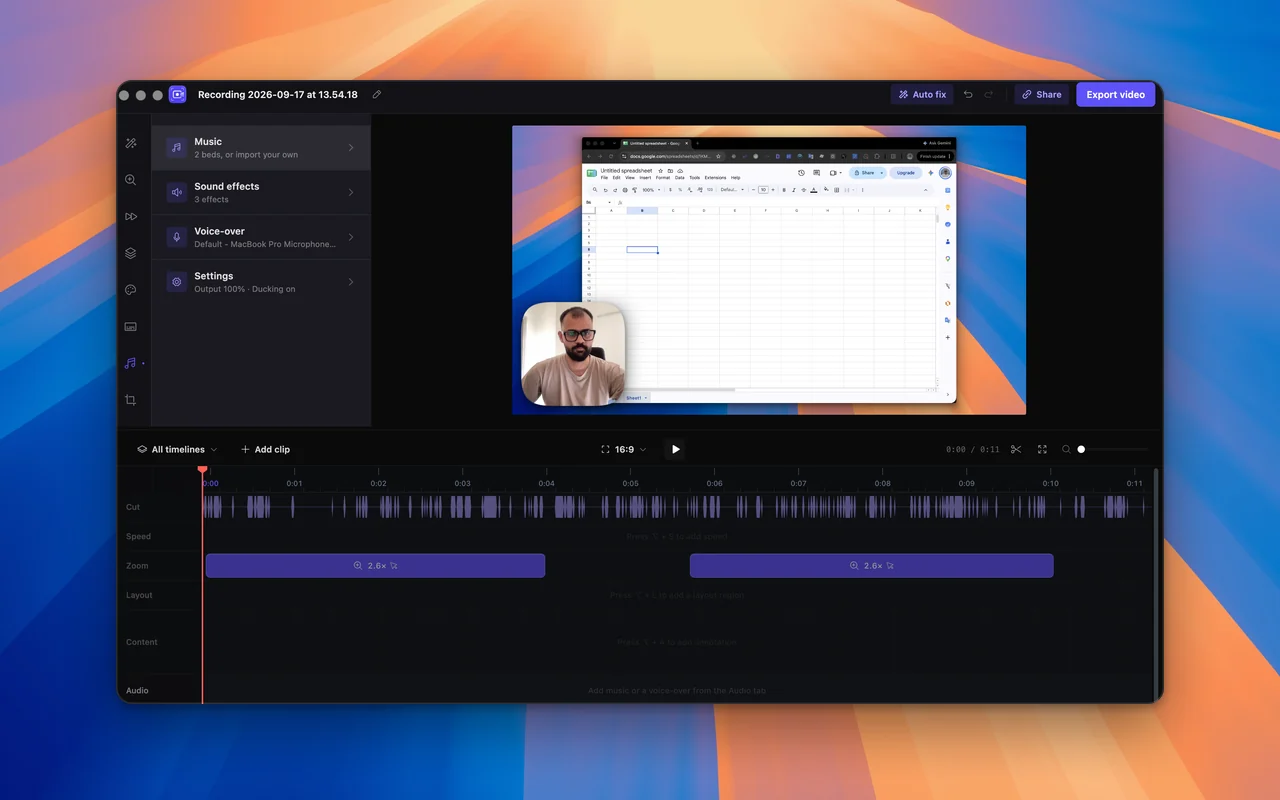
macOS can already record your screen. What it cannot do is make the recording watchable: zoom in on what matters, calm the cursor, capture the computer's own sound. That is what SmoothCut is for.
How to
Record your Mac screen with SmoothCut
- 01
Install it
Open the .dmg and drag SmoothCut into Applications. It runs on Apple Silicon and Intel Macs.
- 02
Allow two permissions
macOS asks for Screen Recording and Accessibility. Allow both under System Settings → Privacy & Security.
- 03
Record, then finish
Press Record, pick a window or the whole screen, and go. Press Finish and the editor opens with the recording already zoomed and smoothed.
The built-in way, and where it stops
Press Shift-Command-5, or open QuickTime Player and choose New Screen Recording, and macOS records the screen to a file for free. For a quick capture, that is all you need.
It stops there. There is no zoom, the cursor is whatever it was, and there is no editor beyond trimming. Capturing the Mac's own sound also depends on your version: Apple lists system audio recording only for macOS 27 and later, and on anything older the built-in recorder captures the microphone alone.
What SmoothCut adds
Automatic zooms that follow your cursor. A cursor you can smooth, enlarge and restyle after recording. Microphone and system audio recorded as separate tracks. Your camera in a layout you choose afterwards. Captions, noise removal and the cuts, all done on your Mac with nothing uploaded.
The features that matter here
What does the work
- Automatic zoom Screen recorder with auto zoom: SmoothCut watches where you click and zooms there for you, with depth, timing and easing set. Adjust any zoom on the timeline.
- Cursor smoothing Smooth cursor for screen recordings: SmoothCut records your cursor as data, so you can smooth, enlarge and restyle it and add click effects afterwards.
- Studio voice Studio voice removes steady background noise with a neural denoiser on your computer, then levels and warms your voice. What you hear in the editor exports.
- On-device captions On-device captions: SmoothCut turns your voice into word-timed captions with a speech model on your computer. Download it once; it then works offline.
Questions
Does it run on Apple Silicon?
Yes. There are builds for Apple Silicon and for Intel Macs; the download page picks the right one.
Why does macOS ask for Accessibility permission?
SmoothCut records where your cursor went and what it clicked as data, which is what makes smoothing and automatic zooms possible. macOS puts that behind the Accessibility permission.
Is it free?
Yes, export included. A free export is 720p at 30 fps with a small Made with SmoothCut mark in the corner. A licence takes the mark off and adds 4K, 60 fps and share links. It is a one-time purchase, not a subscription.
Recording stopped working after an update. What now?
Remove SmoothCut from both the Screen Recording and Accessibility lists, reinstall, and allow them again.
Keep reading
- How to screen record on Mac How to screen record on a Mac with audio: the built-in Shift-Command-5 way, how to stop it, why it misses your Mac's own sound, and how to record both.
- Best screen recorder for Mac The best screen recorders for Mac in 2026: SmoothCut, Screen Studio, CleanShot X, FocuSee, Cap, OBS and the built-in recorder, with pricing and who each suits.
- Screen recorder with audio Record your screen with microphone and system audio as separate tracks you can balance afterwards, then clean up your voice on your computer. Mac and Windows.
- Download Download the SmoothCut screen recorder for macOS and Windows. Free to use with no account; a licence removes the small mark and adds 4K and share links.
Record better videos, faster.
Use every feature today, exporting included. One payment opens 4K at 60 fps, share links and a clean export.
macOS and Windows · No account needed